Webshoptiger tools

AI-tools voor video voor je webshop

Met AI maak en bewerk je video zonder montagestudio. Pictory en Lumen5 zetten tekst om in een video. Synthesia laat een avatar je verhaal vertellen en OpusClip knipt korte clips uit lange opnames. Zo maak je sneller productvideo's, uitleg en content voor social media.

AI Video tools

  • Arcads

    Generate AI UGC videos and images for ads with AI actors. For webshops that want to test social ads without hiring creators.

    • UGC ad videos without hiring creators
    • Create multiple variants to test ads
    • Images for ads too
  • Creatify

    Create AI image and video ads with AI actors and templates. For webshops that want to create lots of ad variants quickly.

    • Video and image ads with AI
    • 300 AI actors on the free plan
    • 40 ad templates
  • Deepbrain

    AI Studios from DeepBrain AI creates videos with AI avatars, text-to-video and dubbing in multiple languages. For webshops that want to make explainer and product…

    • AI avatar videos without a camera or actor
    • Dubbing with voice cloning in many languages
    • Create videos from a script, web address or document
  • Descript

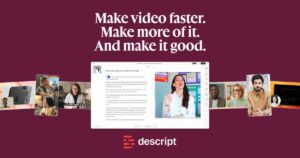
    Edit video and audio by editing text, with AI voices, captions and translation. For webshops that make product videos and podcasts.

    • Edit video by changing text
    • Free plan with no credit card required
    • Translate captions into 61 languages
  • Flexclip

    FlexClip is an online video editor with templates and AI features. For webshops that want to create product videos, ads and social videos without any…

    • Create videos with templates and drag and drop
    • AI tools for subtitles, voice and text to video
    • Product video from a product URL
  • Fliki

    Fliki creates videos from a script, blog or idea, with AI voices, visuals, music and subtitles. For webshops that want to make promo and explainer…

    • Create videos from a script or blog post
    • More than 2,000 AI voices in 80+ languages
    • Free plan with no credit card required
  • Invideo

    invideo AI is a video editor with AI assistants that let you describe the edit you want, for marketers and webshops that create product videos…

    • Edit by describing changes in plain language
    • Script and storyboard from an idea
    • Collaborate with your team on the same video
  • Kapwing

    Online video editor with AI subtitles, translation, dubbing, and a brand kit. For webshops that create social videos in different formats.

    • Automatically generate and translate subtitles
    • Brand kit with your own colors and fonts
    • Reformat videos for social media
  • Kling AI

    AI studio for video and images: generate video from text or a photo, with a project workspace to develop scripts and edits.

    • Turn a product photo into a short video
    • Images in native 4K with a consistent style
    • Canvas with an AI agent for scripts and edits
  • Lumen5

    AI video maker that turns blog posts, text and PDFs into videos with voice-over, templates and your own brand style. For marketing and social media.

    • Turn blog posts and text into video
    • Your own brand style and templates
    • No video experience needed
  • Nova AI

    Nova A.I. is an online video editor with automatic subtitles, voiceovers and templates, for business owners who want to create videos without installing anything.

    • Video editing entirely in your browser
    • Automatic subtitles with translation
    • Text-to-speech for voiceovers
  • OpusClip

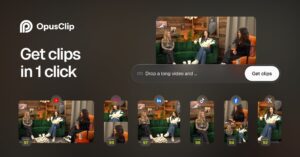
    Uses AI to automatically cut long videos into short clips with captions for social media. For webshops with lots of webinars or explainer videos.

    • Turn long videos into short clips for social media
    • AI captions with animated styles
    • Import from YouTube, Google Drive and Zoom from Starter up
  • Pictory

    AI video generator that turns text, URLs, documents or audio into videos with voice-over and subtitles. For marketing and social media.

    • Video from a blog, URL or PowerPoint
    • Free trial with 300 credits
    • Subtitles and translations included
  • Synthesia

    Synthesia is an AI video platform that creates videos with avatars from a script, with translation and dubbing. Suitable for businesses that want explainer or…

    • Create videos without a camera or studio
    • Translate and dub in more than 140 languages
    • Free Basic plan to try it out
  • VEED

    AI video platform for generating, editing, subtitling, and dubbing presentation videos. For webshops that create product videos and social videos.

    • Create, edit, and subtitle videos in one place
    • Brand kit with your own colors, fonts, and logo
    • Dubbing and translating videos
  • VREW

    Vrew is an AI video editor from VoyagerX that lets you edit video through the transcribed text, with automatic subtitles and AI voice-overs, for Mac,…

    • Edit video through the transcribed text
    • Automatic subtitles and silence removal
    • Free-forever plan available

Over AI-videotools

Video maken zonder montagestudio

Video laat zien hoe een product werkt en hoe het eruitziet. Toch kost filmen en monteren veel tijd. AI-videotools nemen een groot deel van dat werk over. Ze maken video uit tekst, knippen lange opnames in korte clips en zetten er ondertitels onder.

Soorten AI-videotools

  • Video uit tekst of een blog, zoals Pictory, Lumen5 en Fliki.
  • Bewerken via de uitgeschreven tekst van je opname, met Descript of VREW.
  • Korte clips uit lange video's, met OpusClip.
  • Advertenties met AI-acteurs, zoals Arcads en Creatify.
  • Een avatar als presentator, bijvoorbeeld met Synthesia of Deepbrain.

Formaat en taal

Bepaal eerst waar de video komt: je productpagina, social media of een advertentie. Elk kanaal vraagt een ander formaat en een andere lengte. Kijk of de tool Nederlandse ondertitels en stemmen goed aankan. Een merkenkit, zoals bij Kapwing, helpt om je huisstijl vast te houden. Maak van één opname meerdere versies, bijvoorbeeld staand en liggend.

Tips voor betere video's

Houd video's kort en zet de belangrijkste boodschap in de eerste seconden. Veel mensen kijken zonder geluid, dus ondertitels zijn geen luxe. Gebruik echte beelden van je product waar het kan. Gegenereerde beelden zijn handig voor sfeer, maar klanten willen zien wat ze kopen. Laat bij een uitlegvideo eerst het resultaat zien en daarna de stappen.

Ook zonder montage-ervaring

AI-videotools zijn geschikt voor webshops die vaak content maken voor social media en advertenties. Ook voor uitleg, handleidingen en trainingen zijn ze bruikbaar. Heb je weinig ervaring met montage, kies dan een online editor met sjablonen, zoals FlexClip of VEED. Met Invideo beschrijf je welke bewerking je wilt, en Kling AI maakt video uit tekst of een foto.

Webshoptiger B.V. is not responsible for any incorrect information or prices on this website.